Tutorial 2: Roles and assignment#
The requirement: the employee who asked does Request; any manager may decide; HR fixes what HR's system refuses. Nobody else sees those tasks, or can complete them.
Lanes give tasks to groups#
The model has three lanes: Employee, Manager and HR. A user task in a lane is offered to the group with the
lane's name: Approve is for everyone in the Manager group, Fix the record for everyone in HR. Nothing else
has to be set on those tasks.
A group is only a name, until a model gives it work. Users get their groups in Dashboard → Administration
(Add a user, or Edit): manager1 is in Employee and Manager.
The requester#
Request is not for every employee, but for the one who asked:
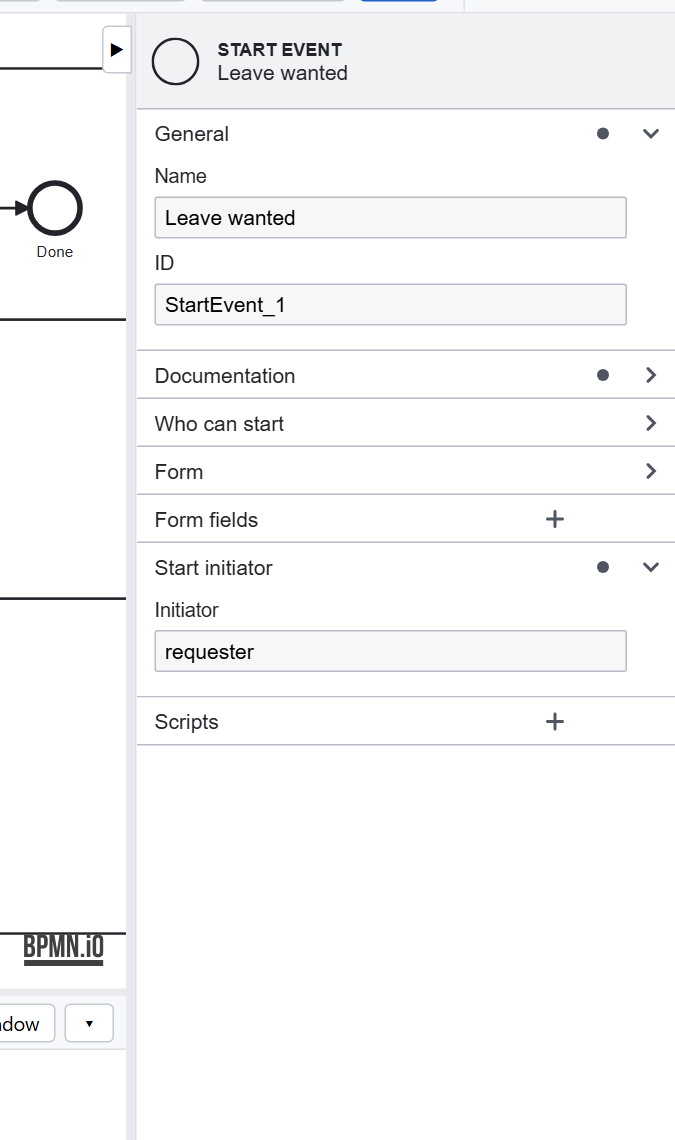
The start event's Start initiator keeps the user who started the process as data.requester; Request's
Assignee is $(this.data.requester):
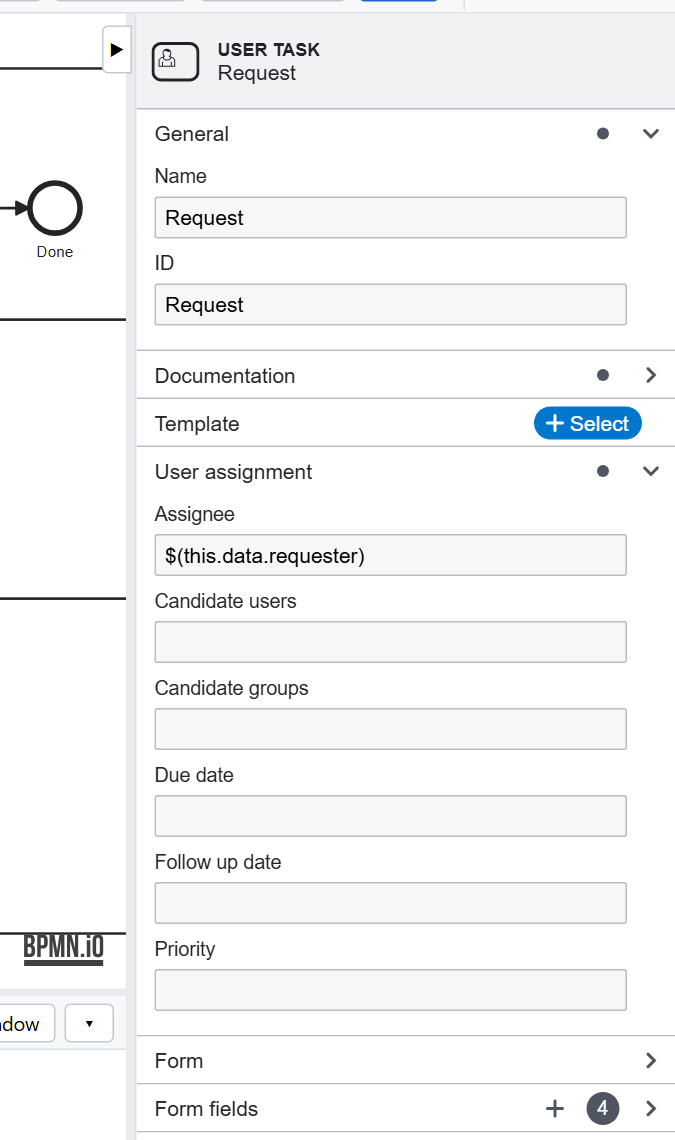
So the request comes back to the same person when the dates are wrong or the manager needs more information, and to nobody else.
The rules are enforced#
Two settings, both on in a new application's .env:
With them, a task can be seen and completed only by its assignee, a candidate user, or a member of a candidate group (a lane's included). The same rules apply to the REST APIs and scripts: a call says which user it acts for. See Security.
Design choices#
- Groups, not people. A model that names a person breaks when that person is away. Use a group (a lane, or Candidate groups), and let anyone in it take the task.
- Computed assignment. An assignee can be computed by your code:
#(appServices.managerOf(this.data.requester))would give Approve to the requester's own manager. See Scripting. - Due dates and priority are in the same User assignment group, for the task lists to show.
Previous: Tutorial 1. Next: Tutorial 3, forms and data.