AI Agents (add-on)#
The AI Agents add-on lets a person give their AI agent a link to this site: the agent then works as them. Turn it on or off on its area of the Settings page (Dashboard ▸ Settings ▸ AI Agents).
What it does#
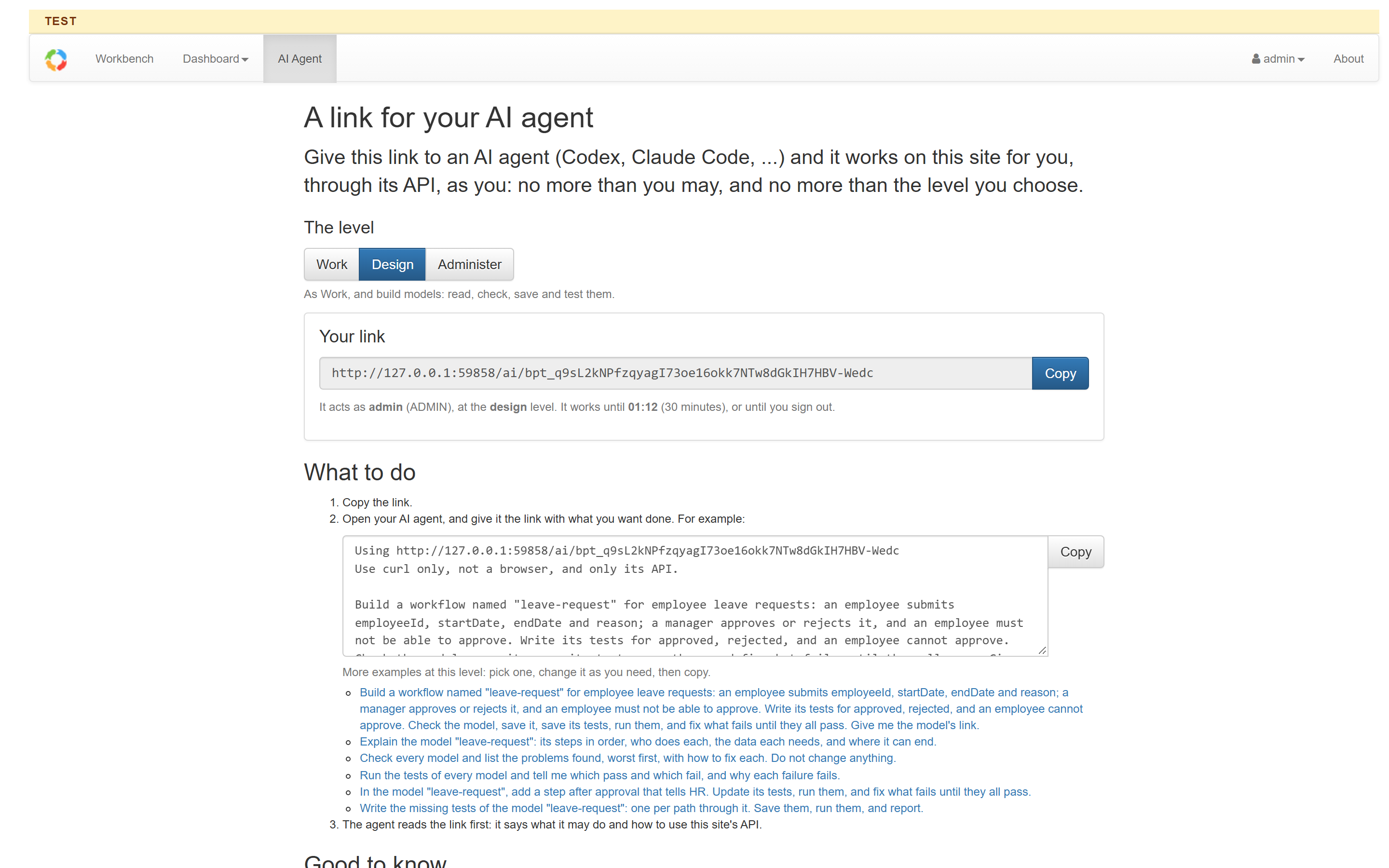
- AI Agent, a menu item of its own for everyone signed in (
/ai/key): a link for their AI agent, an API key that acts as the person, at the level they choose (work, design, administer), for minutes. The agent opens the link first (/ai/<key>), which says whom it acts as and where to start. A person revokes their links there. - Examples of what to ask, by level, on the same page: one click puts one in the box, to change and copy.
- Work: my waiting tasks, what I can start, starting a request, where my cases wait and why, completing a task.
- Design: build a workflow with its tests, explain a model, check every model, run every model's tests, change a model and its tests, write the missing tests.
- Administer: what to fix for production, the settings' failing checks, defaults that matter, email for the notifications, the add-ons that are on. It advises and changes nothing.
- In an application that signs people in itself (a host user manager, such as the HR demo): the same. The
application's sign-in says who the person is, and API v3 takes the link besides the application's own credentials.
The application shows the item when API v3's
/mesaysmay.aiLink.
This site's guide for agents, /llms.txt, is the server's: it is there whether the add-on is on or off.
Its settings#
| Setting | |
|---|---|
AI_ACCESS |
The link levels offered |
AI_GUIDE |
The guide for AI agents |
When it is off#
The menu has no link, the /ai pages answer 404, and the API refuses the links given before (403, AI_OFF).