Tutorial 8: Review before release#
The requirement: before anyone relies on it, the model is checked, read by the people who own the process, and run once as its users would run it.
Checked#
- The Problems tab says No problems found.
npm run verifychecks every model the same way, from the command line. - Run all in the Test tab, or
npm test: every scenario passes.
Read#
The Report tab is the whole model as one document, in flow order: every element, its documentation, its assignment, its form, its conditions, its timers and services:
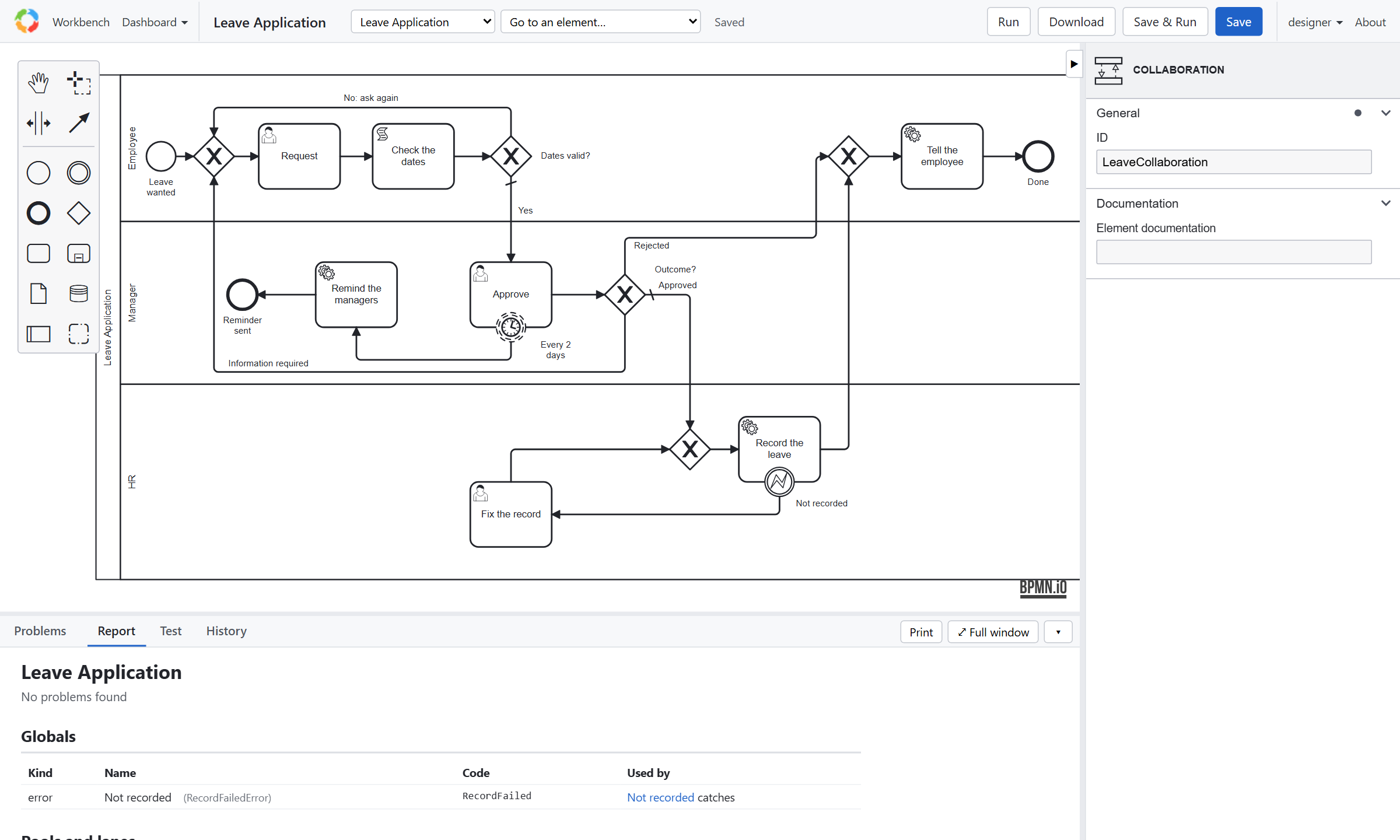
Print it, or send it, to the people who own the process: it is what they review, not the XML. The History tab keeps each saved version, by who saved it: Compare shows what changed between two.
Run once, as its users#
- Sign in as
user1. My work → Start a process → Leave Application, then open Request under Assigned to me, fill it in, and complete it. - Sign in as
manager1. Approve is under Available to me: offered to the Manager group. Approve it, with a comment. - As the administrator, open the instance (Workbench → Instances). Its page shows the data, the diagram with the path it took (Show animation replays it), every item, and the Rationale, step by step: each step's line (who took it, its data) opens to what followed, each decision and why. The filters open the steps with a row of what they show.
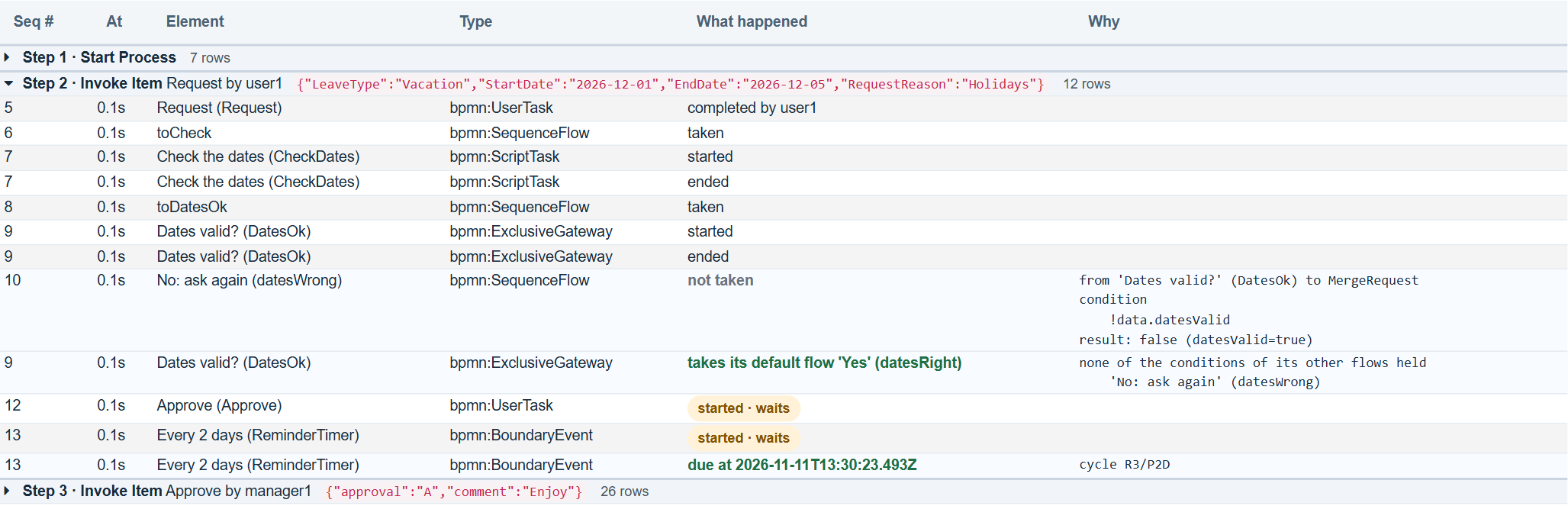
user1 never sees Approve: tutorial 2's rules at work. The server's log shows what notifyUsers and recordLeave were
asked to do.
What to look for#
- A path a reviewer says "and then what?" about: it needs a next step, a timer, or an end.
- A task whose form asks for something nobody uses, or misses something somebody needs.
- Names the business doesn't use.
Previous: Tutorial 7. Next: Tutorial 9, release.