Labels#
A case is known by what identifies it: Car: Porsche 911 · Buyer: staff, not only by its case id. Its model says what that is, with a label saved in the model: a few parts, each some text and a value from the case's data. The pages show each case and task by its label: the Instances and Pending Tasks lists, My work, and the instance page. Each of its values is also a column of the lists, and what they can be filtered and sorted by.
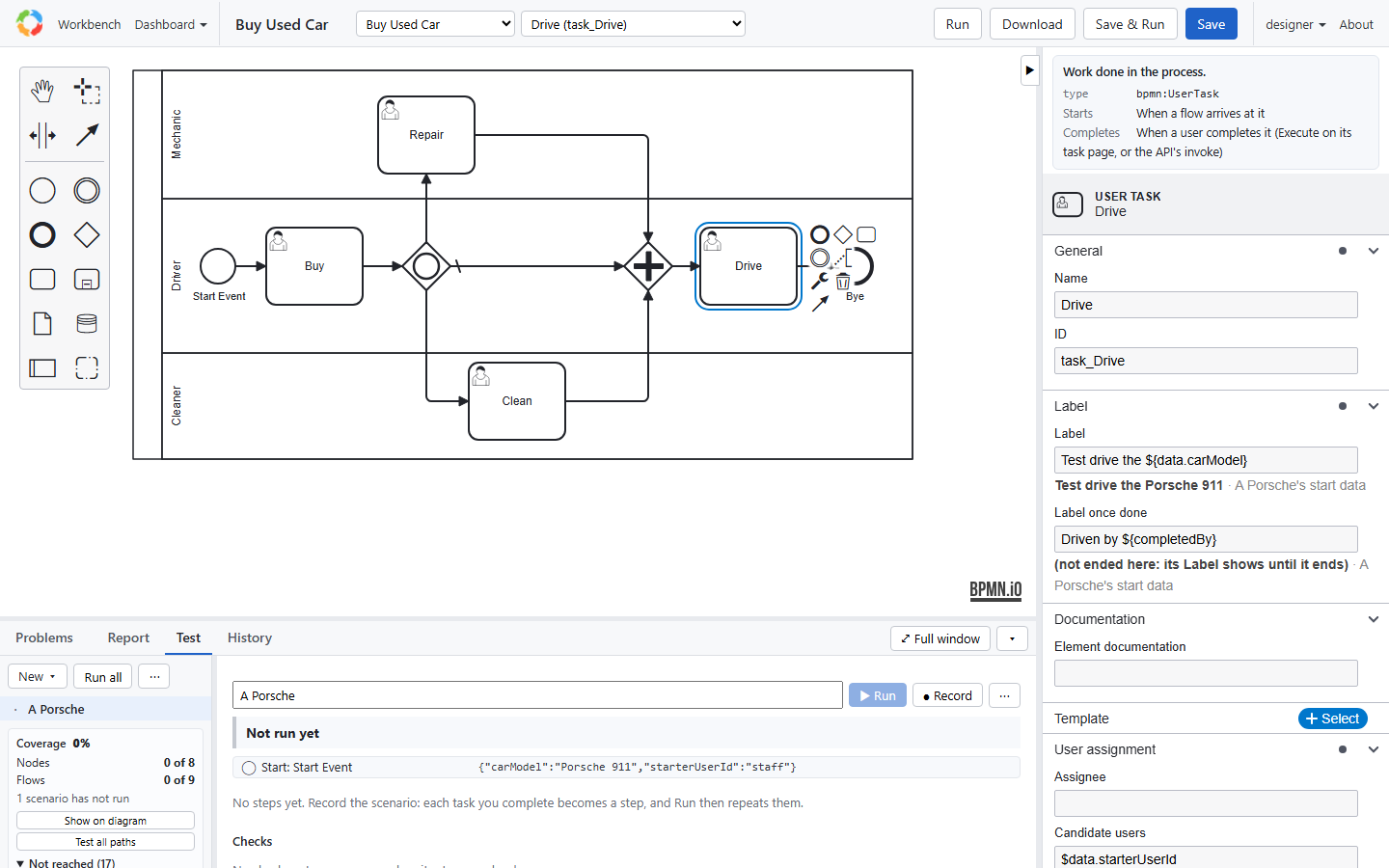
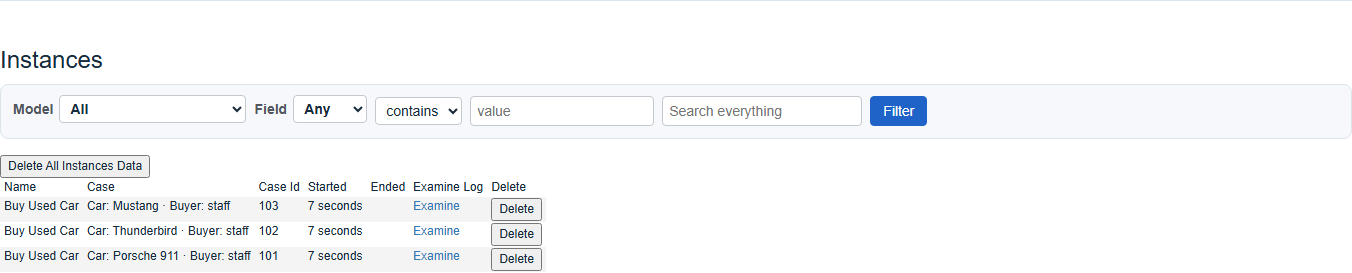
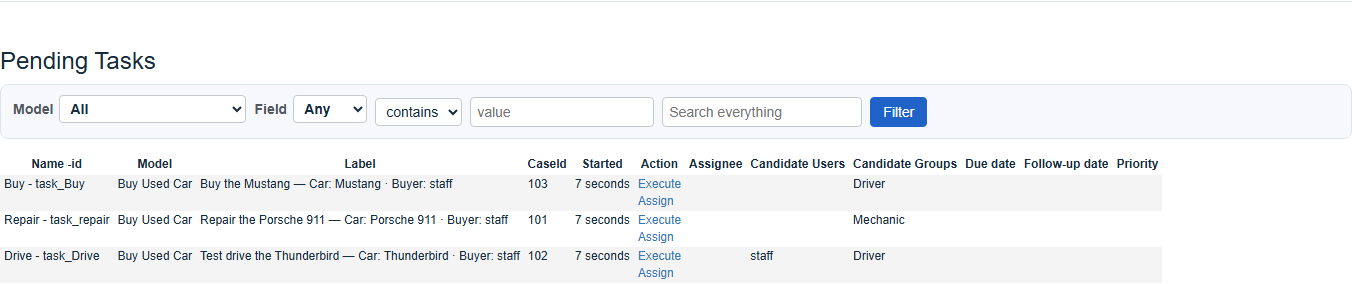
The pictures on this page are the sample application's Buy Used Car, whose model has these labels:
| Element | Label | Label once done |
|---|---|---|
| The process | Car: ${data.carModel}; Buyer: ${data.starterUserId} |
|
| Buy | Buy the ${data.carModel} |
Bought by ${completedBy} |
| Repair | Repair the ${data.carModel} |
Repaired by ${completedBy} |
| Clean | Clean the ${data.carModel} |
Cleaned by ${completedBy} |
| Drive | Test drive the ${data.carModel} |
Driven by ${completedBy} |
A case's label#
On the process, in the editor's Label group (Case label), or in the XML:
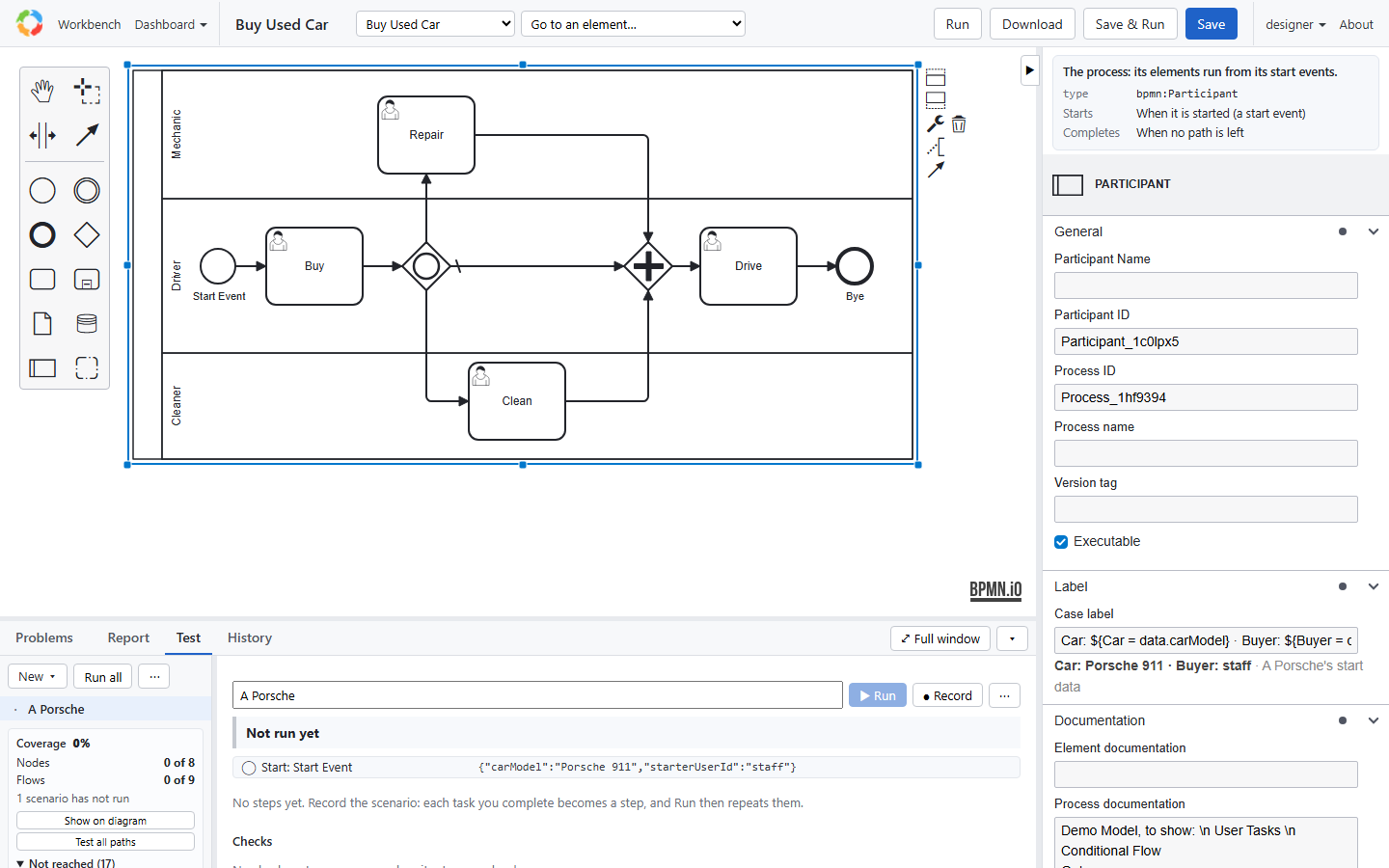
- Parts are separated by
;. Each part is some text and at most one value,${data.path}. - Shown: the parts, joined with
·. A case with{ clientId: 'abc', orderNo: 1234 }is shown asClient: abc · Order: 1234. - A missing value takes its part along. If
data.clientIdis missing (none, null, empty, or only spaces),Client:goes too, and the case is shown asOrder: 1234. Zero andfalseare values. When every value is missing, the default applies. - Each value is a column, named by its part's text without the value and a trailing
:: Client, Order. A part that is only a value is named by its path's last name:${data.caseId}is caseId. - A part with no value (
Leave; ${data.days} days) is always shown, and is not a column.
One part needs no ;: Buy the ${data.carModel} is shown as Buy the Porsche 911, and its column is Buy the.
A label written before 3.7.5, Client: ${Client = data.clientId} · Order: ${Order = data.orderNo}, is still read,
Name = naming its value; verifyModel suggests the parts instead (label-old-form).
An element's label#
Any element on the diagram may have its own, in the Label group:
- Label, while it runs:
Amount: ${data.amount}; Client: ${instance.Client}. - Label once done, once it has ended:
Approved by ${completedBy}.
In the editor#
Under each label field, a preview: the label filled in from the Test tab's scenario, its last run's data, else
its start data (Client: acme · Order: 1234 · Acme claim's start data). An element's label sees its fields from that
run, and the case's named values as instance.*. With no scenario open in the Test tab, it says so.
Where labels are shown#
Instances: the Case column.
Pending Tasks: the Label column, the task's own label and its case's. A task with no label of its own shows its name and its case's label: Approve · Client: abc · Order: 1234.
My work: each task's own label under its name, and its case's label in the Case column.
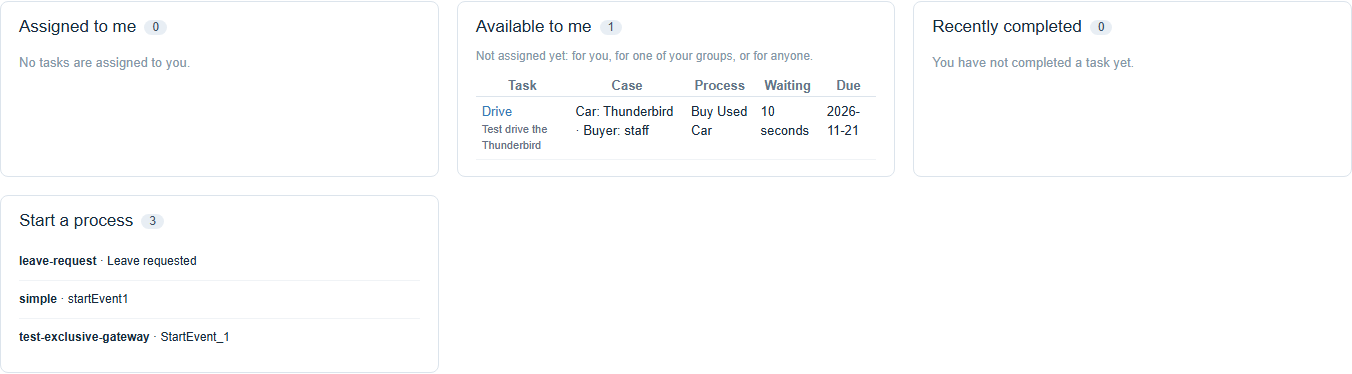
The instance page: the case's label at the top, and each element's under its name: a waiting one's label, an ended one's label once done.


What a placeholder can name#
Placeholders are data, never scripts:
| In | Placeholder | Value |
|---|---|---|
| A case's label | data.… |
The case's data |
model |
The model's name | |
| An element's label | data.… |
Its data: the case's, or a loop round's or a sub-process's own |
completedBy, assignee, userName, status, startedAt, endedAt, name |
Its own fields | |
instance.<Name> |
A value of its case's label, by its name: ${instance.Client} |
Paths are names separated by dots; __proto__, prototype and constructor are refused. The editor marks a
value that isn't a path, a part with two values, or a name used twice, as you type, and verifyModel (Problems)
reports it (label-template).
A value is shown as text: a date in ISO form, a list joined with commas, an object as JSON.
When labels are filled in#
When they are shown, from the case's data and from the model the case runs: with SAVE_SOURCE=true a case
keeps the model it started with, so a later version of the model doesn't relabel it; without it, a case runs (and
is labeled by) the model's current version. Nothing is stored. An element that has ended shows its
Label once done filled from its data as it is now; a label that must stay as it was should use the element's own
fields (completedBy).
The defaults#
| Element | Without a label |
|---|---|
| A case | The application's instanceLabel(instance), else <model> #<caseId>, else the model's name |
| A user task | Its name and its case's label |
| Any other element | None |
instanceLabel is an optional method of the application's delegate, for labels that must be computed in code:
class AppDelegate extends WebAppDelegate {
    instanceLabel(instance) {
        return `Claim ${instance.data.claimNo}`;
    }
}
The delegate is the engine's, so the pages and the API (the host) ask the engine for these labels, all of a list's
cases in one call, also with the engine elsewhere (ENGINE_AT). It is given each case as data: its fields and data,
without its model's source or its log.
In code#
The pages fill labels in with labelInstances(server, instances) and labelItems(server, items) (bpmn-server):
each case gets label and labelValues (its values), each task label, ownLabel, caseLabel and
labelValues. fillTemplate(template, scope) and templateProblems(template) fill in and check one template.
Filters#
The Workbench's Instances and Pending Tasks sections each have a filter bar, and so does My work. Each filters its own list, and using one doesn't clear the other. Tasks are filtered by the values of their cases' labels:

- Model: only that model's cases.
- Field: a value the models' case labels show, which contains or is a value. Each is offered by its
name (
Car: ${data.carModel}is Car,${data.caseId}is caseId); a model with no case label offers caseId, the value its default label shows. Its tooltip says where each model reads it from (Buy Used Car: data.carModel). Any looks for the value in every field. - Search everything: any field of any model.
Contains is on text: a number matches when it's typed whole (caseId contains 4772), not part of it (477).
The filter is a database query on the data paths the labels' values read: Car contains porsche is data.carModel
contains "porsche" (any case) for Buy Used Car's cases, and on each model's own path when several models name a
Car. A number matches as a number too (Order is 1234). It's in the URL (/?field=Car&op=contains&value=porsche#instances),
so a filtered list can be bookmarked and shared.


Pending Tasks' settings have their own names in the URL: /?task_field=Car&task_op=contains&task_value=porsche#tasks.
Filters query the data as it is; they need no index. On many cases, indexes on the paths filtered most will matter, but indexing is configuration, apart from labels.
In code: labelFields(server) lists the named values the models offer, and labelQuery(fields, filter) makes the
query ({ model, field, op, value, search }), to add to findInstances or findItems.
In API v3#
Every task and instance API v3 answers carries its label, filled in the same way when it is answered:
- A task (
GET /tasks,GET /tasks/{id}, a claim, a completion, a start's first task):label(its own, else its name, then its case's),labelValues(its own named values),caseLabelandcaseLabelValues. - An instance (
GET /instances,GET /instances/{id}, a start's and a completion's):labelandlabelValues; onGET /instances/{id}, each item with a label of its own haslabelandlabelValuestoo.
A named value is { name, path, value }. GET /tasks and GET /instances take the lists' filter:
field, op (contains, the default, or is), value, and search; model on /tasks and name on
/instances limit it to one model. An op other than those two is a 400 BAD_FILTER.
GET /api/v3/tasks?field=Client&op=is&value=acme
GET /api/v3/instances?name=Buy%20Used%20Car&search=porsche
/api and /api2 are unchanged: they answer no labels.
Each person can add the named values (and any field of the data) to the lists as columns, and sort by them: see List columns.